


Products description
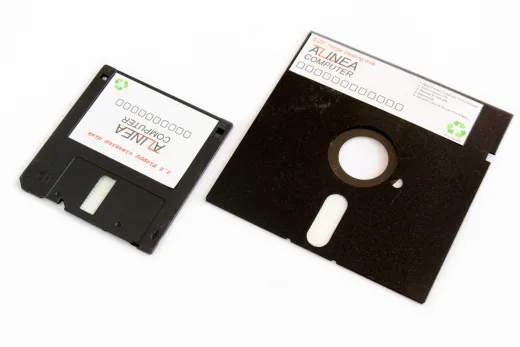
Black cleaning disc for floppy disk drives with a 3.5-inch (Amiga, Atari, PC, etc.) or 5.25-inch (C64, C128, Sinclair Spectrum, etc.) drive bay (Select type above). The cleaning disc can be used to clean the read/write head of older floppy disk drives. Floppy disc drives should then work perfectly again.
Note: Do not clean the drive unnecessarily. Cleaning is only necessary if read errors occur or the drive is very dusty.
Instructions for use
- Step: Moisten the white fabric area on the diskette with isopropyl alcohol. 2 to 3 drops are sufficient.
- Step: Insert the cleaning floppy disc into the floppy disc drive.
- Step: Switch on the computer and allow the drive to run for 10 to 20 seconds. Attention: Running the drive for too long whilst dry can damage the read/write head.
- Step: Switch off the computer and remove the floppy disc.
- Step: Leave the drive to dry. The alcohol should have evaporated after 5 to 10 minutes.
- Step: Test the drive with a standard data diskette.
Product Features
This Product was added to our catalogue on 21/10/2026.
Categories
Welcome back!
Last viewed:
€ 13,95
19 % VAT incl. excl. Shipping costs
Features:Other hardware »
More information on your personal page »
Manufacturer
Shipping country
Payment methods

Bank transfer
Amiga Shop © 2026 | Template © 2009-2026 by modified eCommerce Shopsoftware